Build energy profiles without meter data
Generate realistic energy profiles for new projects. Create time series data for buildings, machines and charging infrastructure without historical measurement data.
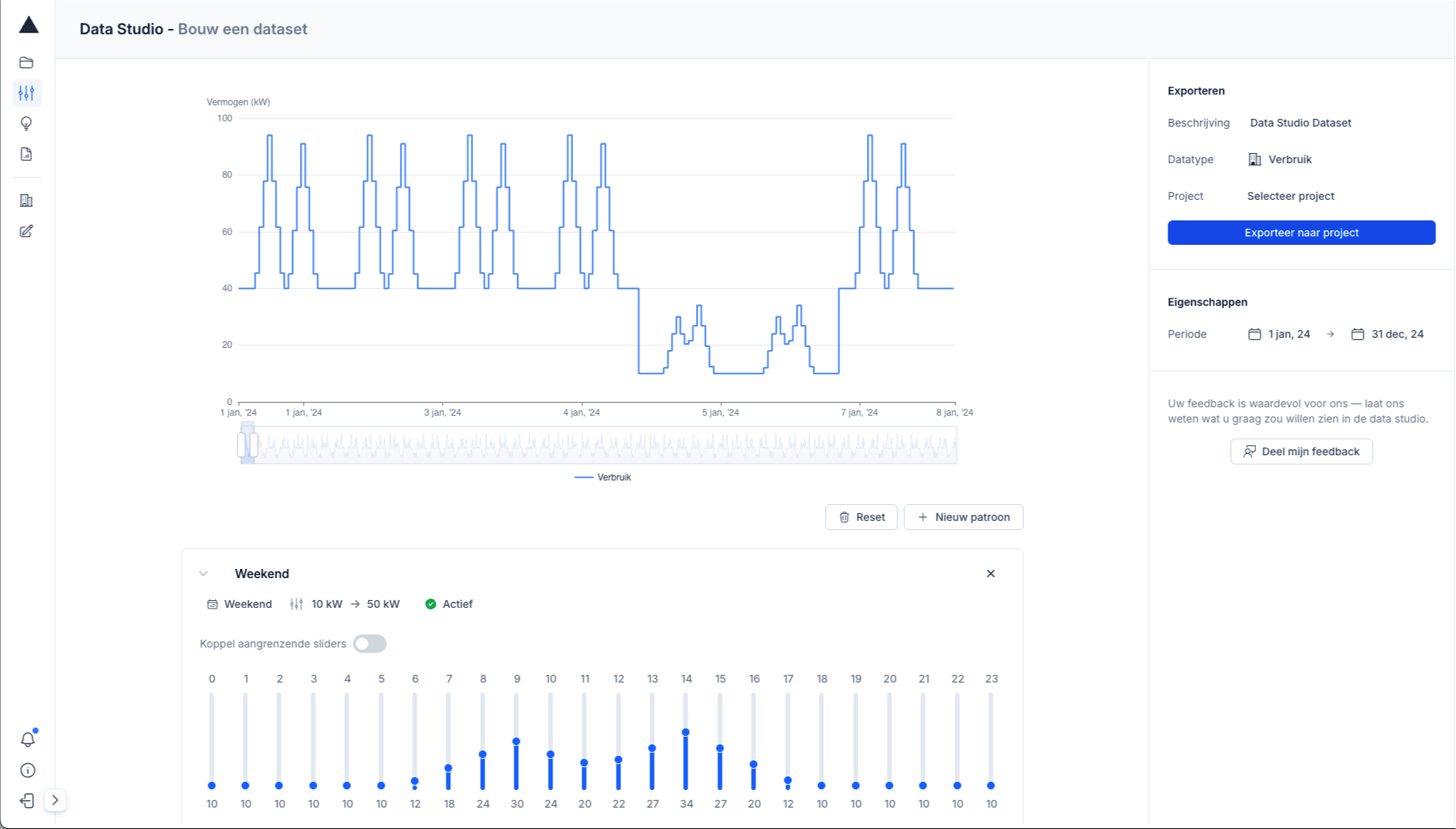
Intuitive profile generation
Create complex energy profiles with visual controls and direct feedback.
- Visual time series editor
- Real-time preview
- Sliders for hourly values
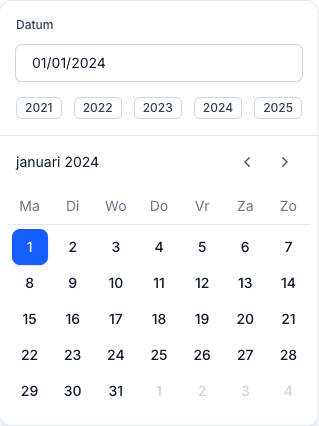
Flexible periodization
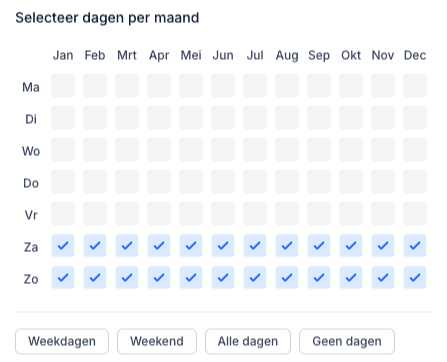
Select specific days and months via an intuitive matrix interface.
- Day and month selection
- Seasonal patterns
- Weekend/weekday splits
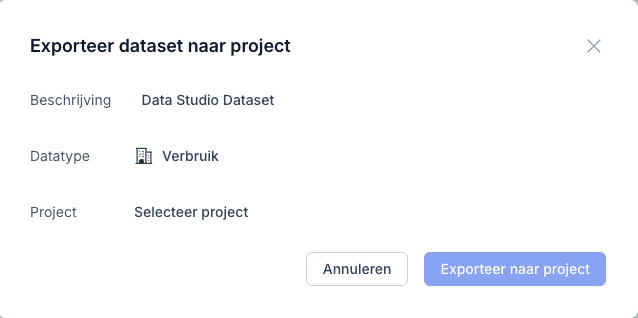
Direct project integration
Export datasets directly to your energy simulations for immediate use.
- One-click export
- Combine multiple patterns
- CSV & API export
How to build an energy profile in the Data Studio
How do you simulate a connection without meter data? A new building, an extra hall or a charging hub has no 15-minute data yet. In the Data Studio you draw the expected consumption yourself: a daily curve per quarter hour, with differences between weekdays and weekends and between months. The profile then goes into your project as a dataset.
- What you put in
- You build the profile in layers. Each layer has a period and applies to every day, to weekdays and weekends separately, or per weekday. For each layer you draw a daily curve of 96 quarter-hour values in kW. A factor per month, or the consumption per month, sets the seasonal pattern.
- What Wattix calculates
- The Data Studio turns the layers into one 15-minute time series, for a period of up to three years. That is the same resolution Wattix simulates at, so the profile fits straight into a scenario.
- What comes out
- A 15-minute profile that you add to a project as a consumption or charge point dataset. There you combine it with the measured data of the existing connection: datasets can be added, subtracted and scaled, for example to add a new hall to the current consumption.
Select periods in the calendar matrix
Choose days of the week and months when your pattern is active
Define the consumption pattern per hour
Use sliders to set the power for each hour of the day
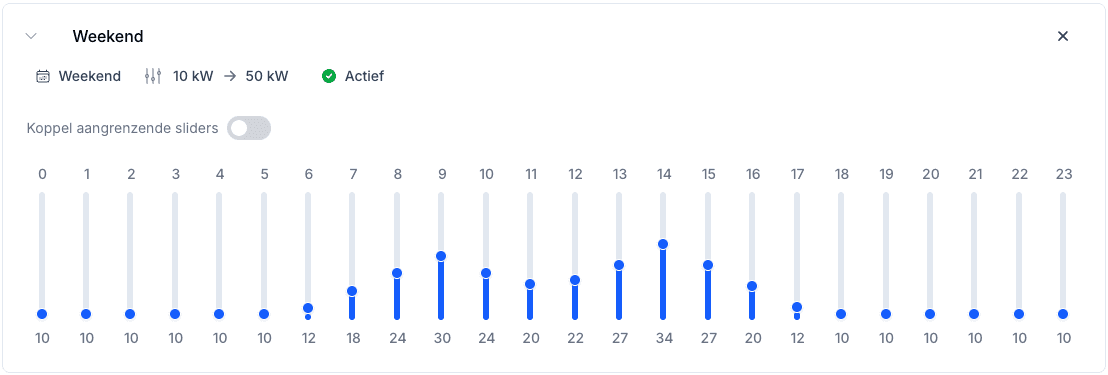
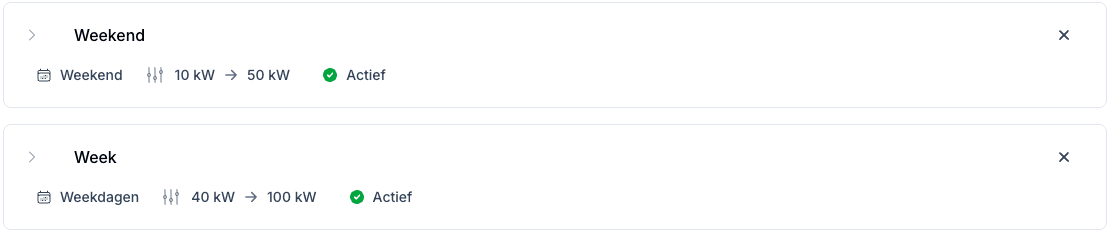
Combine multiple patterns into one dataset
Merge different profiles for complex scenarios
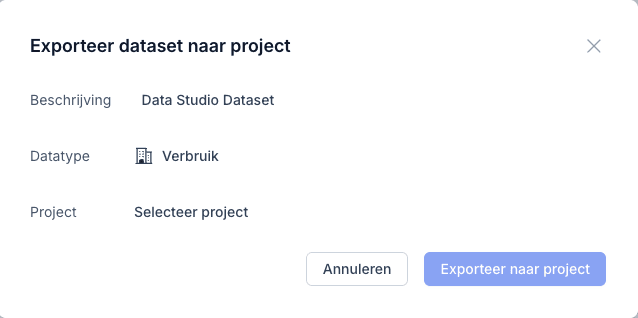
Export directly to your simulation project
Use the data immediately in your energy simulations and analyses
Perfect for every new energy project
Data Studio accelerates the development of projects where historical data is missing
New buildings
Simulate the energy consumption of new business premises and factories
Machine expansions
Model new production equipment and process installations
EV charging infrastructure
Plan charging plazas with realistic usage profiles
Seasonal patterns
Create varying profiles for summer and winter periods
Frequently asked questions about the Data Studio
Can I simulate without meter data?
Yes. For consumption that doesn't exist yet, such as a new hall or a charging hub, you build a 15-minute profile in the Data Studio. A generation profile for solar panels is generated separately in the project.
What meter data do I need if there is some?
The connection's 15-minute data, as an Excel file in the Wattix template or as CSV. Wattix calculates in 15-minute steps and does not work with hourly data, because hourly averages smooth out the peaks.
How do I combine a new profile with existing consumption?
You add the Data Studio profile to your project as a dataset. There you add, subtract or scale datasets, so you work through the existing consumption plus the expansion as one profile.
How realistic is a profile you draw yourself?
As realistic as the assumptions you put in. A drawn profile does not contain the chance peaks of a real measurement. So calculate with measured data where it exists, and use a drawn profile for the part that doesn't exist yet.
Related pages
- EV charging infrastructureCalculate EV charging per quarter hour within the connection, and see what smart charging or storage unlocks.
- Grid congestionFind the peak moments and show what is still possible without a grid upgrade.
- Wattix for energy consultantsBack up your advice with transparent assumptions and scenarios side by side.
Accelerate your project development with Data Studio
Generate realistic energy profiles in minutes, not hours. Perfect for new projects where historical data is missing.
Schedule a demo